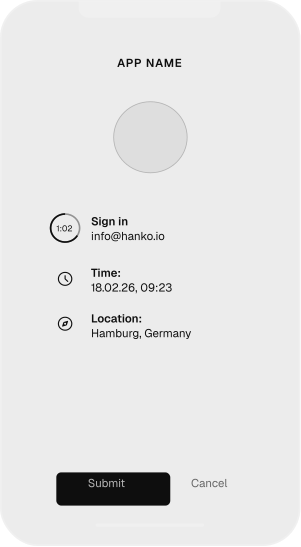
A strong, biometric authentication factor for mobile phones. Publish your own branded authenticator app and avoid extra hardware costs. Open source alternative to Duo Mobile.
The best authentication factor is the one you always carry with you
Users always have their phone with them
Receive a push notification and confirm the login attempt with one quick action
Secure and convenient by using standard device lock functionality like biometrics or PIN
Your own branded authenticator app
Fully white-label capable app
Publish as your own app in the app stores to build trust
More features can be added on demand
Private key cryptography and device binding
Combining a cryptographic proof-of-possession factor with local device authentication
Private keys are generated and stored only on the users’ devices in secure hardware
Powered by an easy-to-use REST API, Hanko Authenticator can be integrated into any application simply by calling the API to authenticate a user or transaction. Cryptography and push notifications are fully handled by Hanko's infrastructure.
Keycloak plugin
If you're using Keycloak, integration is even simpler. Hanko's open source Keycloak plugin allows for a no-code integration of Hanko Authenticator into any Keycloak-protected app.
Need a different plugin?
We’re interested in your use case and open to building integrations and plugins for other systems.
Flexible hosting options
Cloud
Use Hanko Authenticator in Hanko Cloud and let us handle operations, availability, and scaling. Includes up to 99.99% SLA.
Private cloud
We manage a dedicated Hanko Authenticator environment with the cloud provider of your choice, tailored for teams with advanced security, compliance, or deployment requirements.
Self-hosted
Operate your Hanko environment on your own servers, with our support if you wish.
Get started with your own branded authenticator app.
We partner with select customers to roll out a fully branded, secure login experience.
Tell us about your use case, and we’ll reach out to set up a demo and discuss next steps.