

The main feature of this release is support for Firebase Scrypt password hashes, specifically to enable importing Firebase users together with their existing Scrypt password hashes.
This makes it possible to migrate users from Firebase Authentication while preserving their password hashes, as exported via the Firebase CLI.
Beyond that, we updated a number of dependencies as usual.
The main feature of this release is Inactivity Logouts, which allow user sessions to be proactively terminated if no user activity is detected.
This can be configured via a new configuration option. In addition, an idle_expires_at timestamp is now returned by the /sessions/validate endpoint, allowing frontends to react to upcoming idle logouts accordingly.
Beyond that, we updated a number of dependencies and included several small bug fixes.
This release improves user profile handling, enhances session token transparency, and includes important security fixes.
Users can now store name and picture attributes directly in Hanko.
This allows:
These attributes follow standard OIDC conventions, are available via the API, and can be managed like other user properties. The main source for these properties will be 3rd-party accounts like Google or GitHub for now. We will add the required functionality to manage these fields to the profile element in a later update.
Session tokens now include AMR (Authentication Methods References) values.
This enables relying parties to:
The AMR claim follows standard OIDC conventions.
/me EndpointThe /me endpoint has been extended to return additional user information.
This reduces the need for follow-up requests and simplifies frontend integrations that rely on a single user introspection endpoint.
Replaced string concatenation with prepared statements when querying audit_logs.
This prevents potential SQL injection attacks and strengthens overall security.
Security notification webhooks were not triggering correctly in certain scenarios.
This has been fixed and webhooks now work as expected.
This release brings several security, reliability, and usability improvements across Hanko’s authentication stack. It includes stronger passcode options, better key management integration, more robust auth flows in Hanko Elements, improved device trust handling, and expanded localization support:
In addition to numeric passcodes, Hanko now supports optional alphanumeric passcodes. This increases entropy and makes passcode-based authentication more resilient against brute-force and guessing attacks.
Hanko’s token signing engine can now be configured to use external HSMs and Key Management Systems, currently only AWS KMS is supported. This allows teams with higher security requirements to keep signing keys fully managed outside of Hanko.
Hanko now optionally sends email notifications for security-relevant actions (enabled by default), for example when a new passkey is added to an account. These notifications help users detect suspicious activity early and improve overall account security.
Hanko Elements now uses PKCE-based flows by default. This resolves several issues with third-party integrations, especially in setups where the backend is not running on the same domain as the frontend.
Device trust cookies are no longer overwritten on shared machines or when multiple users log into the same application. This improves reliability for shared computers and multi-account setups while keeping device trust intact per user.
Hanko now officially supports Dutch (NL). This includes UI text, backend mailing templates, and security notification emails, providing a more complete localized experience for Dutch-speaking users.
This release brings several updates to Hanko’s 3rd party (OAuth, OIDC) integration:
A smaller release, but with some important fixes and improvements. Most notably:
prompt parameter to fine-tune the social SSO UX
The main feature of this release is PKCE support for 3rd-party OAuth flows of the Hanko API. When using Hanko with a mobile app, the oauth_state cookie might not be stored, so the thirdparty_oauth action now accepts a code_verifier. When the code_verifier is set, the state cookie is optional, but the code_verifier is required when exchanging the Hanko token with the exchange_token action.
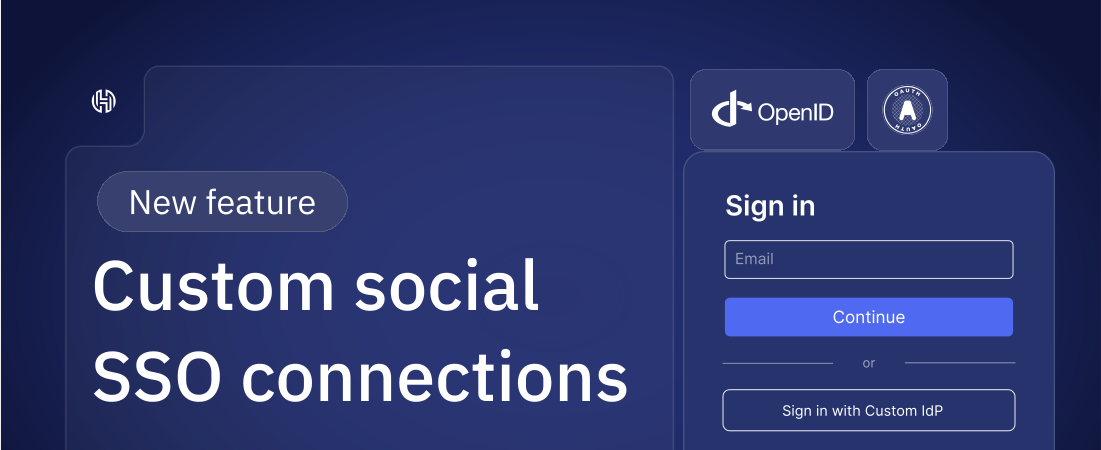
In case you want to support any SSO provider that is not in the list of pre-built connections (like Apple, Google, Microsoft etc.), Hanko now supports custom social SSO connections, for both OAuth and OpenID Connect (OIDC) identity providers.
Custom Social Connections can be configured in Hanko Cloud Console. Each custom connection will get its own Continue with {provider_name} button on Hanko Elements.
.svg)
Hanko now supports user metadata that can be attached to user profiles and managed via the Admin API. Metadata is organized into three categories:
Private metadata cannot be accessed via the public API and should be used for sensitive data that should not be exposed to the client (e.g., internal flags/ids, configuration, or access control details).
Public metadata can be read via the public API and should be used for non-sensitive information that you want accessible but not modifiable by the client (e.g., certain user roles, UI preferences, display options).
Unsafe metadata can be read and manipulated via the public API and should be used for non-sensitive, temporary or experimental data that doesn’t need strong safety guarantees.
Metadata can be accessed in session JWT templates to map metadata to claims in a session token.
See Metadata docs for full details and examples.
Starting today, Hanko Cloud Pro customers can purchase additional projects for $5/month each, once they’ve reached the included project limit.
Most teams are well-served by the defaults:
We chose these limits because a typical setup includes at least one development and one production project. But as teams grow, so do their requirements, whether it’s supporting multiple apps, dedicated staging environments, or isolated test setups.
Since Hanko is a cloud-native platform, each project is a standalone instance with its own configuration, database, and user pool. This isolation ensures reliability and security, but also means each project consumes infrastructure resources.
To keep things scalable, Pro subscribers can now add as many extra projects as they need for $5/month per project—no upgrade or custom plan required.
Need more projects? Just add them from your dashboard whenever you need.