
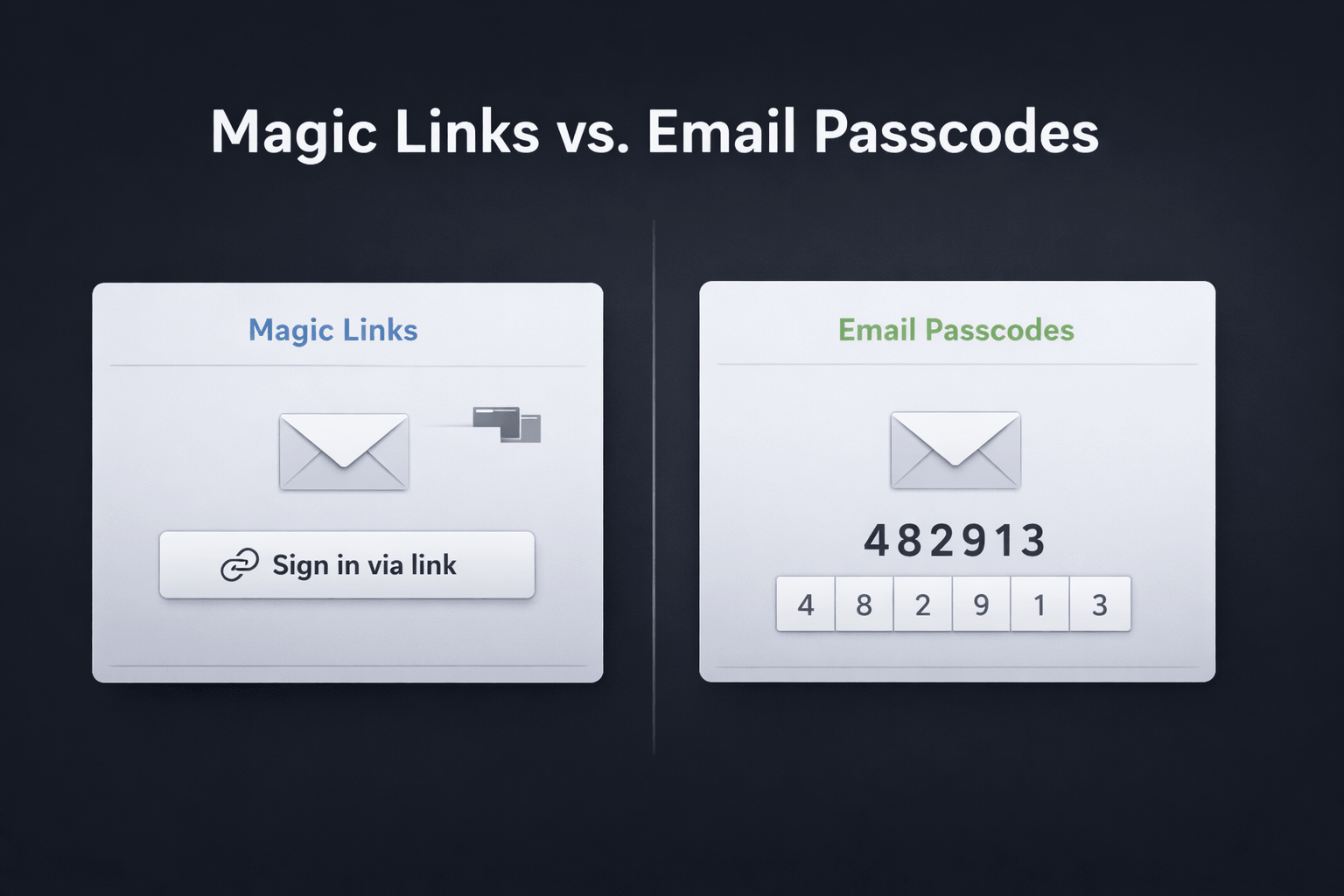
Passwordless authentication by email has become a popular alternative to traditional passwords. Two common approaches dominate this category: magic links and email passcodes.
At first glance, they seem to solve the same problem. In both cases, the user proves control over their email inbox instead of typing a reusable password. But once you look beyond the happy path, the difference becomes more important.
Cross-device login, browser flow continuity, email client behavior, and real-world reliability all shape whether a passwordless method actually feels smooth in practice.
In this article, we compare magic links vs. email passcodes, break down the tradeoffs, and explain why many teams ultimately choose passcodes.
A magic link is a one-time login link sent to the user by email.
The user enters their email address, receives a message, clicks the link, and gets signed in. No password required.
That sounds elegant, and in the right context it can be. The main appeal is obvious: there is nothing to remember and nothing to type.
An email passcode is a one-time code sent to the user by email, usually a short numeric or alphanumeric string.
Instead of clicking a link, the user enters the code into the login flow they already have open.
Hanko supports passcodes as part of its authentication stack.
The core difference is simple:
With magic links, the critical action happens in the email.
With passcodes, the critical action happens in your app.
That small difference has a surprisingly large effect on usability.
Magic links move the user out of the login flow and ask them to complete the important step by clicking a URL in their inbox.
Passcodes still require a trip to the inbox, but they bring the user back into the original login flow and let them finish authentication there.
That distinction matters much more than it may seem at first.
The main reason is convenience.
Email-based authentication removes the need for a reusable password and can reduce friction for casual, low-frequency, or lightweight accounts. It also confirms control over the email address during sign-in, which can be useful for account recovery, verification, and low-friction access flows.
Still, all email-based login methods share some common downsides:
Those limitations apply to both magic links and passcodes.
Magic links are popular for good reasons.
The user receives an email, clicks once, and signs in.
There is no code entry and no extra field to fill out. On the happy path, the interaction feels extremely lightweight.
Magic links feel similar to password reset links, which many users already understand.
That familiarity can make onboarding easier, especially for products aimed at less technical users.
When the user starts the login flow and reads their email on the same device, magic links can feel fast and straightforward, especially on mobile.
This is where the practical issues start to show up.
Magic links work best when the user accesses the inbox on the same device where the login started.
That becomes a problem when the user is signing in on a public computer, a shared workstation, or any device where they do not want to open their email. In those situations, the login flow lives on one device while the link arrives on another.
Clicking a magic link often opens a new tab or window.
That can interrupt the user journey, create confusion, and leave behind extra browser tabs after login. Even when authentication succeeds, the experience can feel less continuous than expected.
This is one of the biggest operational drawbacks.
Email clients, email servers, and security tools sometimes inspect or prefetch links before the user clicks them. That can create edge cases for single-use login URLs because the link may be consumed, altered, or invalidated before the real user interaction.
Passcodes avoid this class of problem because they are not executable URLs. They are short-lived secrets the user transfers into the login flow.
Email passcodes may look slightly less flashy in a demo, but they often hold up better in real usage.
This is the strongest argument in favor of passcodes.
A user can receive the code on their phone and enter it on another machine. That makes passcodes especially useful for:
This is a very common real-world scenario.
With passcodes, the user returns from the inbox and completes authentication inside the same login flow they already started.
That creates a more continuous and predictable experience.
No extra browser tab. No new window. No redirect surprise.
Because there is no one-time URL involved, passcodes are less exposed to link scanning, prefetching, and email client interference.
That can make them operationally more reliable.
Not every account represents an ongoing digital relationship.
Sometimes users just want access in the moment. They may be logging in for a specific purchase, a support process, a booking, a configuration step, or a task they only revisit occasionally.
In those cases, a one-time passcode often fits the user’s mental model better than a reusable password.
Passcodes also come with tradeoffs.
This is the obvious downside.
Passcodes are slightly more manual than clicking a link. That can add friction, especially if autofill is not available or the code is longer than necessary.
Magic links sound sleek in product copy.
Passcodes can look more ordinary, even when they are the more practical option.
Just like magic links, passcodes still rely on inbox access and email deliverability.
So delays, spam issues, and inbox switching remain part of the experience.
If email delivery is a concern, Hanko also supports sending auth emails through your own SMTP server, which can be useful when you want more control over deliverability and sender reputation.
Neither method is equivalent to phishing-resistant authentication methods like passkeys.
Email remains the trust anchor in both flows, and email inbox compromise is still a key risk. Hanko’s docs and blog continue to position passkeys as the stronger long-term direction, while still supporting passcodes and other methods where they make sense.
That said, there are still meaningful differences between magic links and passcodes.
Passcodes reduce dependency on single-use URLs and avoid training users to click login links from email. Some teams consider that a usability and security advantage.
Magic links, on the other hand, can reduce user errors from mistyped codes and may feel simpler when everything happens on one device.
So the security difference is usually less about deeper cryptography and more about reliability, phishing posture, and operational behavior in real email environments.
Magic links can be a good choice when:
Email passcodes are often the better default when:
This is the practical conclusion.
Email passcodes cover the same core use case as magic links, but avoid several problems that are specific to magic links.
Magic links still look simpler in a product demo.
But once you move beyond the ideal same-device scenario, passcodes often prove more robust.
They generally offer:
Magic links win on apparent simplicity.
Passcodes often win on real-world reliability.
That distinction matters.
If your top priority is making passwordless email login look as frictionless as possible in the happiest path, magic links are appealing.
If your priority is building a reliable passwordless login flow that behaves predictably across devices and inbox environments, email passcodes are often the better choice.
They may require one extra user action, but in return they offer more flexibility, fewer browser-flow issues, and fewer email-link edge cases.
For many teams, that is the better tradeoff.
One final note.
This is not really a story of passcodes replacing passkeys. It is about choosing the right email-based authentication pattern when email is the channel you want to use.
Passcodes are useful for login, verification, recovery, and temporary access flows. Passkeys solve a different problem and provide stronger phishing resistance and a more future-facing authentication model. Hanko’s public docs and blog reflect exactly that broader architecture.
If you are choosing between magic links vs. email passcodes, passcodes have a strong case.
And in many real-world products, they are the better default.

Why we’re moving Hanko from a Kubernetes-native single-tenant setup to a multi-tenant architecture and what “cloud native” got wrong for a small team.

"Zombie passkeys" – passkeys that exist in a limbo state between client devices and authentication servers.

Passkeys are quickly emerging as a secure and user-friendly alternative to passwords. However, implementing them effectively requires careful planning